Wireshark
The standard packet analyser for capturing and dissecting network traffic.
- Platforms
- Windows/macOS/Linux/BSD/Solaris
- Licence
- Open source — GPL-2.0+
- Price
- Free
- Category
- Network & diagnostics
- Updated
- 2026-11-05
What it is
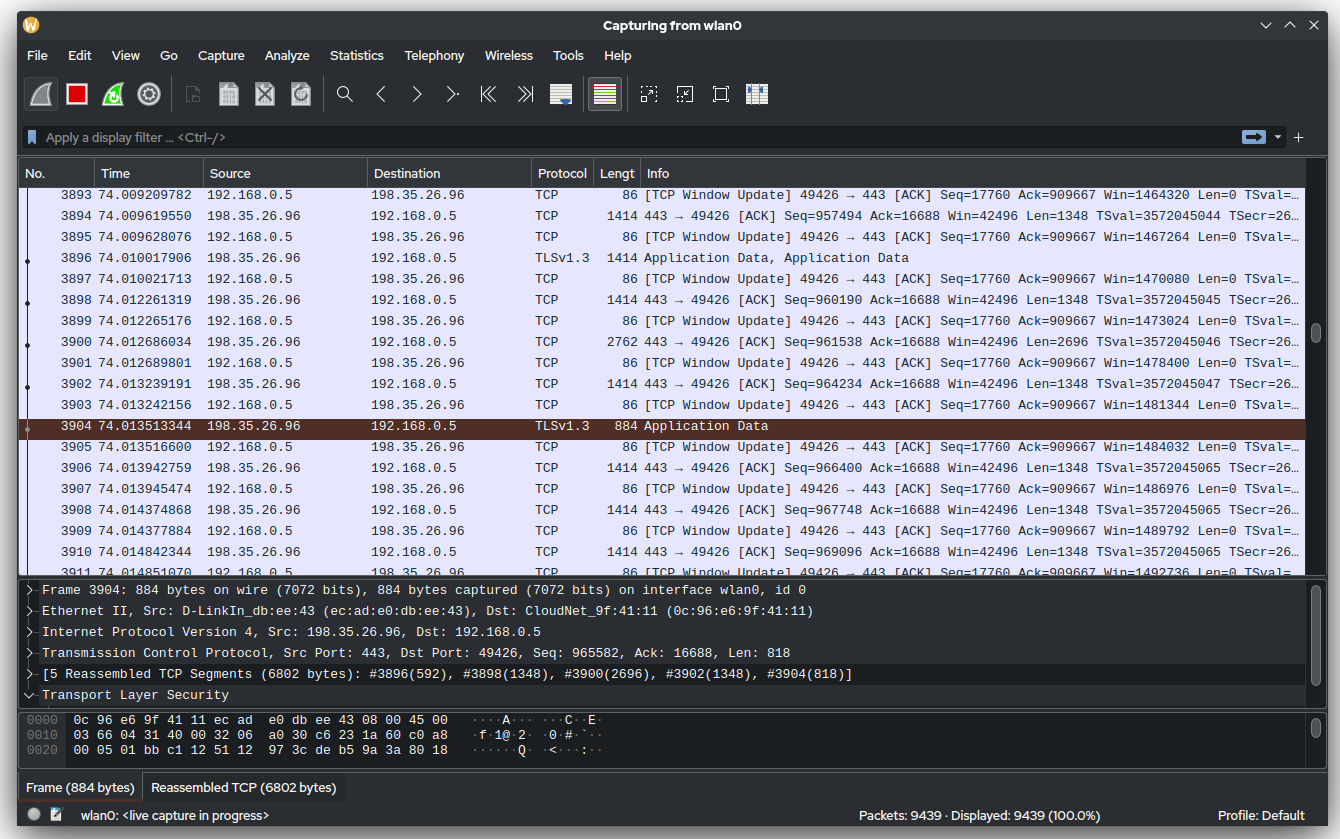
Wireshark is a network traffic analyser (sniffer): it captures packets and dissects them across hundreds of protocols. Administrators use it to diagnose network problems, find anomalies and bottlenecks, and investigate incidents. It is a point-in-time analysis tool — you capture a slice of traffic and read it — rather than a continuous monitor.
Problems it removes
- An application is "slow" and you need to prove whether the network or the app is at fault.
- A connection drops intermittently and the logs on both ends say nothing useful.
- You suspect unexpected or malicious traffic and need to see exactly what a host is sending.
- A device is not behaving as configured and you want to confirm what it actually puts on the wire.
How administrators use it
- Capture on a switch mirror/SPAN port, or locally on the affected host, then narrow with display filters such as ip.addr or tcp.port.
- Use "Follow TCP stream" to read a full client-server conversation as plain text.
- Read the Statistics views (Conversations, IO graphs, retransmissions) to find the top talkers and where latency appears.
- Save the capture as a .pcap to attach to a ticket or hand to a vendor.
Strengths & trade-offs
Strengths
- Dissects hundreds of protocols in depth — few tools go as deep.
- Free and open source, on Windows, macOS and Linux.
- Huge community, filter library and documentation.
Trade-offs
- Steep learning curve; the filter language takes practice.
- Captures can be large and sensitive — they may contain credentials.
- Not a continuous monitor; for long captures use its CLI tools (tshark / dumpcap).
- Needs capture access — a mirror port or elevated privileges.
Common questions
Is it legal to capture traffic with Wireshark?
On networks and devices you are authorised to administer, yes. Capturing other people’s traffic without permission can be unlawful — use it only where you have the right to.
Can Wireshark read HTTPS/TLS traffic?
Only if you supply the session keys (for example via an SSLKEYLOGFILE from the client). Without the keys it shows that a connection happened but not its encrypted contents.
Can I leave Wireshark running to monitor a network all day?
It is built for focused captures, not 24/7 monitoring. For long or unattended captures use dumpcap or tshark, and use a monitoring system for continuous visibility.